
Analyze agency spending
Compare contract obligations across departments, agencies or offices. Use a defined period and consistent filters to identify changes in purchasing activity.
GETWAB / FPDS Charts
Turn federal award data into charts and reusable dashboards for market research, business development and procurement analysis.
Research capabilities
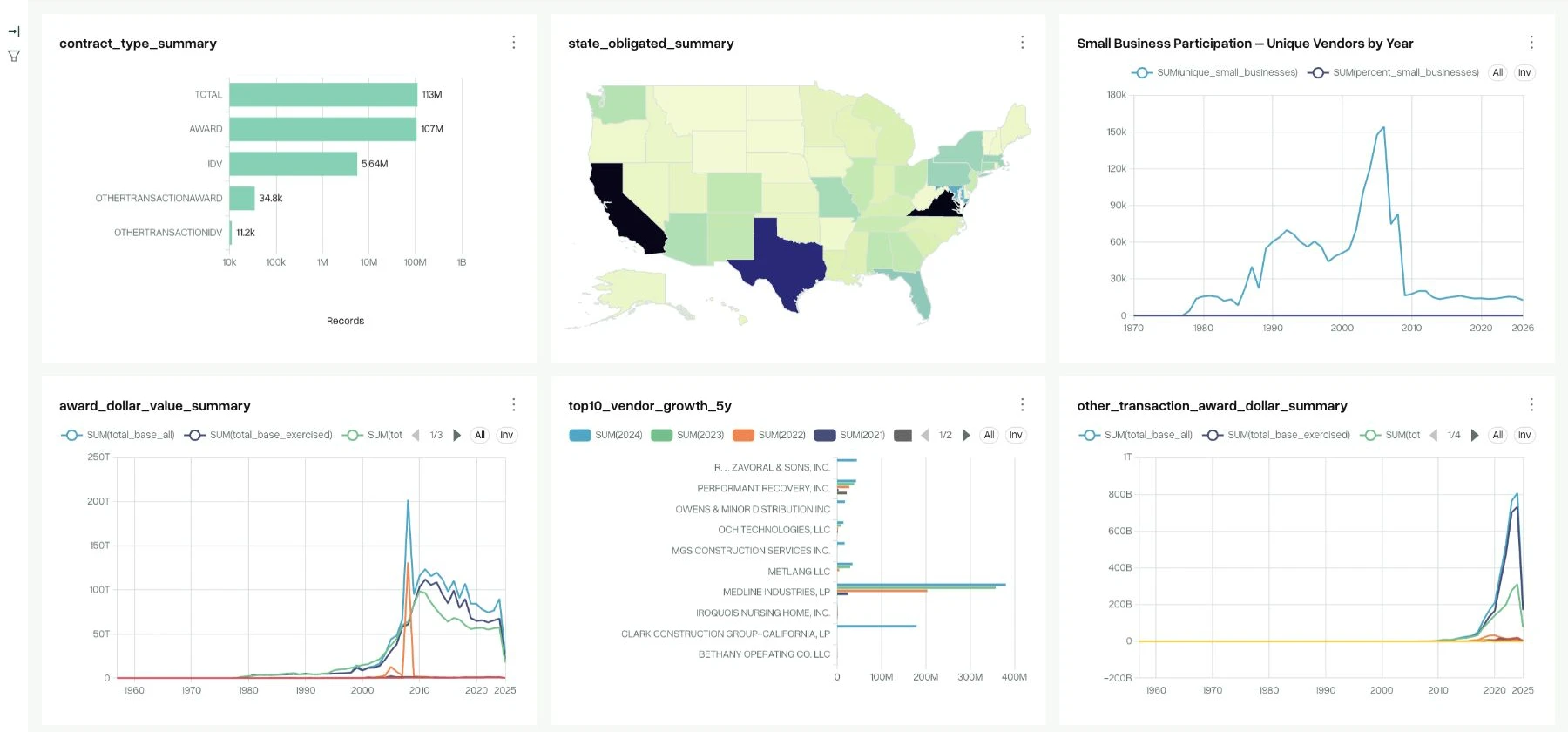
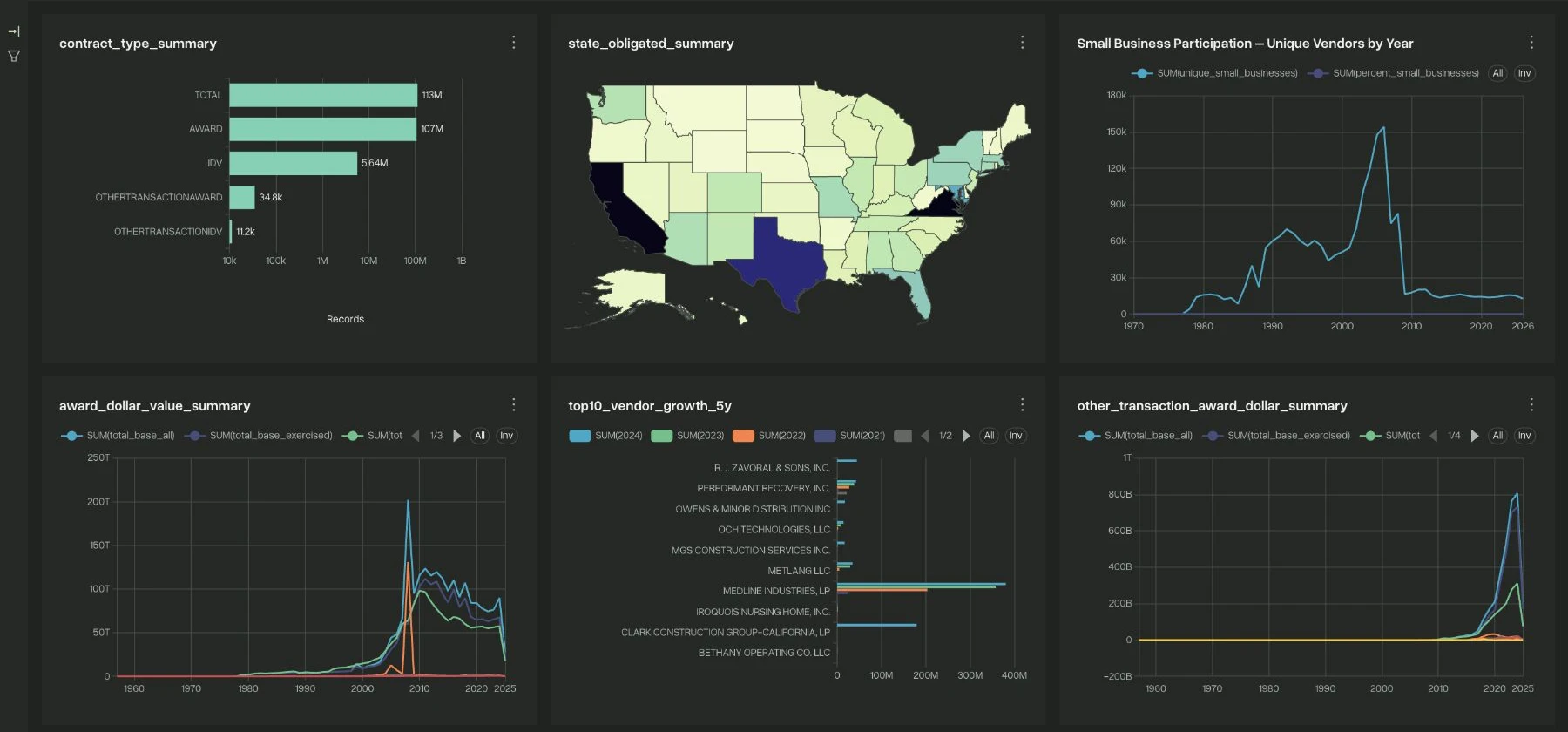
FPDS Charts is a dedicated visual analytics workspace built around connected federal award datasets. Compare federal buyers, contractors and industry markets, then save the views that matter to your research. Combine visualizations into a dashboard instead of rebuilding the same analysis for every review.
Compare contract obligations across departments, agencies or offices. Use a defined period and consistent filters to identify changes in purchasing activity.
Visualize vendor activity and the distribution of awards within a selected market. Examine concentration without losing sight of the data and filters behind the chart.
Break down federal procurement by industry or Product and Service Code. Compare buyers and suppliers within a relevant market rather than across unrelated work.
Create and save charts in your own workspace. Combine related visualizations into research dashboards and adjust filters as your question changes.
In practice
Start with a prepared dataset and define the period, federal buyer or industry market you want to understand.
Choose a metric and visualization that fit the question: a trend over time, a ranking of buyers or a breakdown of contractor activity.
Bring related charts together for recurring reviews. Keep the period, filters and metric definitions clear when interpreting changes.
Product questions
Analysts use them to examine procurement trends. Business development teams use them to prioritize buyers and markets. Executives use a focused dashboard to review the same research consistently.
FPDS Charts is for building your own charts and dashboards. GovCon Dashboard provides a connected research interface for opportunities, buyers, companies and award context.
Not on its own. A chart shows the selected records and metric. Verify the relevant award, period of performance and relationship to the current requirement before identifying an incumbent.
Public research
Start with public market profiles and reference pages. Open the product when you need a dedicated research workspace.